If you are having trouble playing this video, try our alternative player. Please note that our streaming videos require a high speed internet connection of at least 3.0 mbps in order to play all of our videos without stuttering or stopping. You can check your connection speed by clicking "Begin Test" below and looking at the “download” result.
Speedtest.net Mini requires at least version 8 of Flash. Please update your client.
These results show your connection speed relative to our streaming video server, which can vary based on your location and may differ from the speed provided by your ISP. The system requirements are based off of our highest quality videos, and while you may be able to view some of the older or lower quality videos without issue, you need a connection speed of 3.0 mbps or greater to view our newest videos.
If your connection speed doesn’t meet the requirements, there are a few things you can try that may boost it slightly. Make sure you have no other active downloads going on while you try to watch the video, or any other activity on your network that could affect your download speed.
If you are using a wireless internet connection, try plugging your computer in to use a direct internet connection.
Connection speeds can also vary at different times throughout the day, and you might find that you have a better connection speed when your network isn’t as busy.
In addition, our free videos can also be paused and allowed to buffer in the background for a few minutes, which will allow them to play much more smoothly after you press play again.
We are currently looking into other options for users with slower connection speeds, so check back periodically for new announcements about our streaming video system.
If you are still having issues with the player, please view our FAQ.
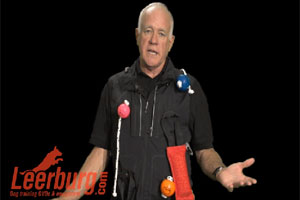
Ed Explains the Layout of Leerburg.com
Description:
Ed Frawley gives an explanation of his experience in dogs and the layout of Leerburg.com